This blog discusses, at a high level, my impression of the new eComp solution as a FASAT/EIM replacement. This was written from a user's point of view while keeping the technical talk to a minimum.
Introduction
First a little background on the author. I have over 30 years' experience in the insurance sector. For 20+ years I worked at a major Canadian insurer, 8 years managing the compensation area. Subsequently, I've spent the last 10+ years as a consulting Business System Analyst (BSA) on FASAT/EIM compensation projects, so I bring a unique perspective from both sides of the fence.
Technology

Some key components and concepts have been retained in eComp to substantially minimize the conversion and training efforts. Technically eComp is vastly different as Steve has described in his blogs. For front line FASAT/EIM users there are several user concepts that will be familiar. In FASAT/EIM the "Client" record is linked to "Field Force" record(s).
Within eComp a client is linked to "Producer" record(s), keeping the idea of a single client record which stores the demographics for all companies and individuals. The concept that users only need to update one client record streamlines the process. Producer records in eComp store the producer's hierarchy, compensation rules, compensation schedules, financial arrangements, vesting rules as well as tracking producer debt.
Dashboard
eComp introduces a dashboard that enhances navigation and allows a user to customize the look and feel based on their security. Fairly quickly users will come to rely on the dashboard as a home page and starting point for tasks.
Filters
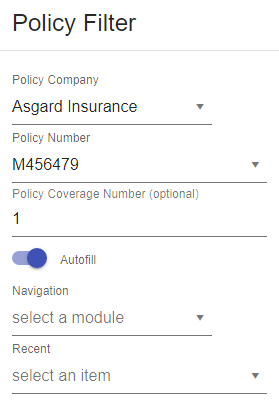
The dashboard will give you instant access to Producer, Client, and Policy searches that can be customized. The filters allow you to navigate to specific screens for a given client, producer, or policy. It also tracks your recent searches giving you the ability to quickly toggle between them.
Hierarchy
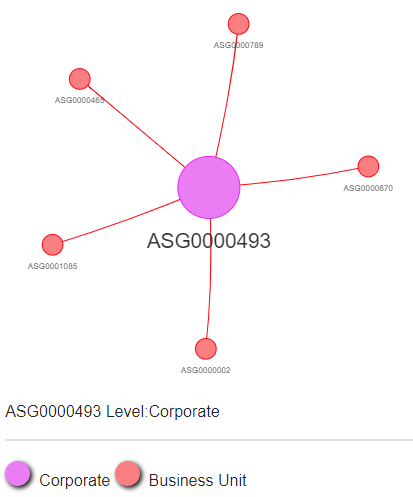
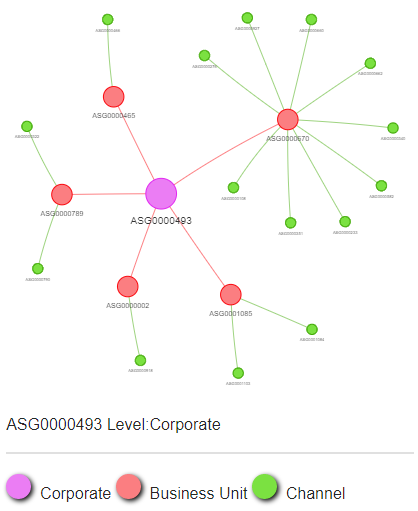
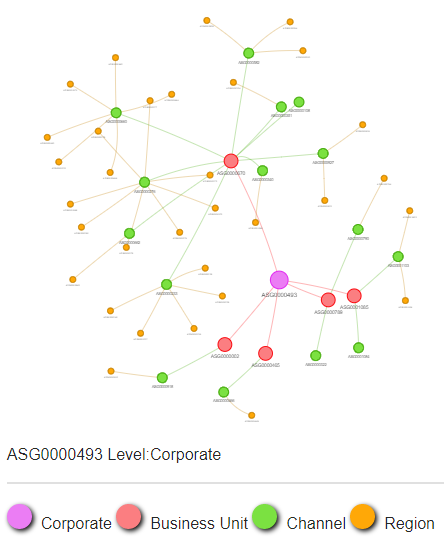
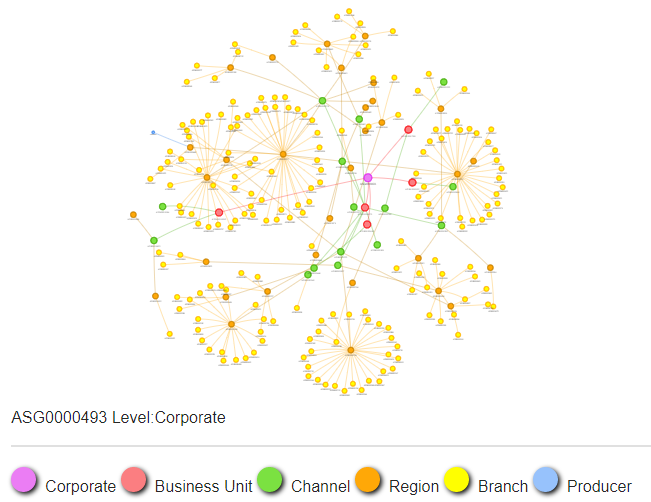
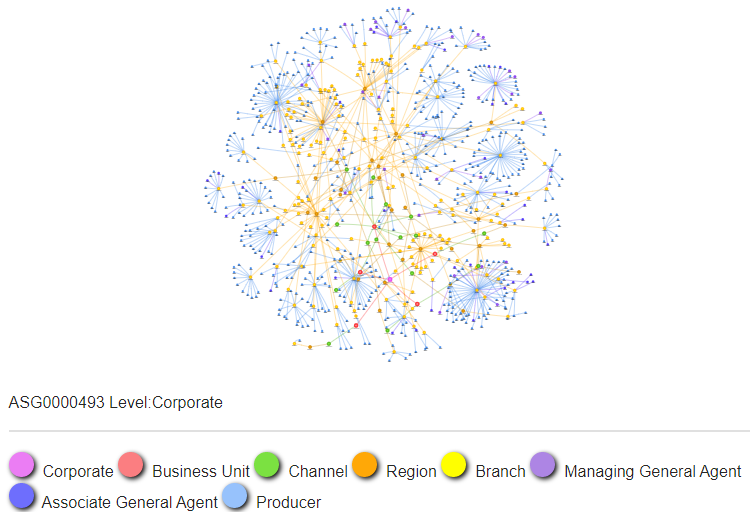
The hierarchy of the selected producer is displayed for a specific date.

The upstream/downstream levels can be varied based on the amount of detail the user requires. This also permits the user to select any displayed level in the hierarchy which then dynamically changes the view to that level.
The hierarchy can represent an infinite number of reporting levels - the following shows a company branching out 5 levels deep - each node can be selected and zoomed in on
History
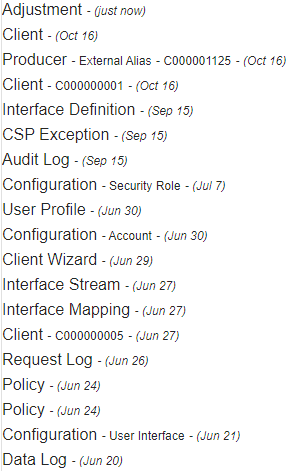
eComp tracks a user's history chronologically - displaying screen usage including the producer/client tab details. History lets users navigate quickly to any previous screen. If interrupted while updating a record you can go back to where you were and complete your update.
Training
Some FASAT/EIM concepts have been retained, making the screens easier for users to relate to.
Security
eComp will mask designated sensitive data such as Personally Identifiable Information (PII). This allows users access to screens without exposing critical data. Screens now have in essence dual security, sensitive data on a screen might be masked for one user but not another.
Reporting
eComp allows for exporting data to multiple formats including Excel. eComp will support customized reporting, and consolidated statements, as well as business centric hierarchies for bonuses and payments.
Financial Processing
eComp financial processing is substantially faster, using cloud-based instead of head office server processing. The October 2021 test consumed 4.3 million input records - generating
- 3.3 million override records
- 5.5 million accounting records
- 9.1 million balance records
- 20.5 million production records
...in just under an hour!
The latest tests are processing over 2000 transactions per second or 7.4 million transactions per hour.
Data conversion

FASAT/EIM conversion is always last in the EIM world vs first in the eComp world
The conversion application identifies 'problematic data' early in the project allowing substantial lead time for decisions on handling the data. The problematic data can be flagged by the conversion process to bypass or fix - allowing testing to continue.
FASAT/EIM conversion is an arduous manual process requiring constant updates by a developer and a BSA. The ability in eComp to run the conversion iteratively using an automated script simplifies the entire process.
Summary
As you can see from the above, several concepts and processes have remained consistent. From a training perspective this is huge - no need to fully retrain your staff on a completely new system.
As eComp is advertised as a viable replacement for Fasat/EIM, our recommendation is for insurance companies to initiate a 3-to-4-month POC to prove how quickly a solution can be delivered while meeting the companies critical POC requirements.
Any questions regarding the above, please feel free to use the contact page on this site.
By Jim Beatty · October 29, 2021 (updated Aug 27, 2022)