This blog discusses how a project replacing FASAT/EIM with eComp would be structured. Depending on the version of FASAT or EIM that you have - the conversion of the data may require more re-mapping. Older systems would require a bit more work. Systems with extensive customization will require the most effort to bring that functionality over into eComp.
Project Methodology
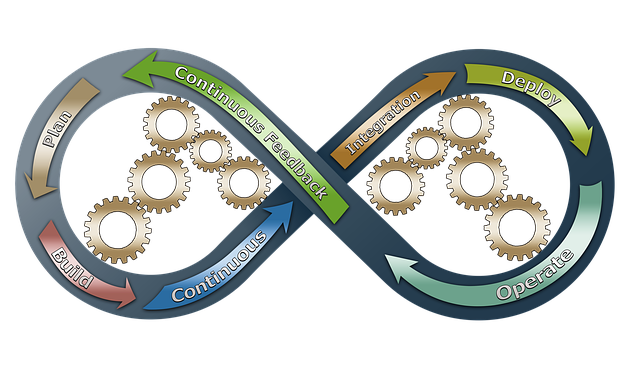
Agile is optional but recommended, the framework would be chosen prior to the start of the project. An Agile approach provides quick feedback and is flexible, allowing for changes to the project as it evolves. Demos would be held after each sprint for all project participants & stakeholders to ensure project is on-track and meeting requirements.
Environments & Regions
Environments are work areas i.e., development, test, pre-production, and production. Each environment contains Azure services which are shared with regions. Each region contains an instance of the application and additional Azure services specific to that region. Microsoft PowerShell scripts running Azure CLI, automate the creation of the application, environments & regions.
Project Steps
Microsoft Azure Setup

The Azure environment will need to be created if not already existing. This would entail the creation of a subscription and the appropriate security would need to be configured.
Security Integration
The project will need to work with corporate security to determine the best approach in integrating on-premises security with Azure Active Directory. In addition, field access can be added if required. Also, the project needs to consider how Azure will connect to your existing infrastructure – Azure Private Link is an option for extra security.
Development Environment Setup
The PowerShell scripts will create the development environment and regions as required. We recommend the testing team, work in this environment in their own region for initial testing and demos until they need to expand to multiple regions. This would minimize costs, allowing the project to scale up gradually.
Gap Analysis/Requirements
- Determine which version of FASAT/EIM is installed and the modifications that have been made or features that were added
- Identify the features required and need to be enhanced or added
The output of this analysis will drive the development process and determine the scope of the project.
Conversion
Unlike most projects where conversion is one of the last tasks to be completed, in this project it is one of the first. The eComp conversion application creates a re-runnable script based on a data mapping between your database and eComp. The mapping exercise is an iterative process, allowing the data to be quickly converted for users to view in eComp. The conversion process is validated, and re-run as required - adding additional mappings as they become available.
Database Security

Protecting Personally Identifiable Information (PII) is an important focus for eComp. We have pre-identified most data that could be considered PII and have configured the database with this information. The project needs to validate this list and add any new fields as required.
Determine if Always Encrypted with secure enclaves is to be used in the project. This feature will encrypt PII data in the database and it will only be available through the application which controls the encryption keys. See the blog post for Data Security for more information.
Financial Processing Validation
Parallel testing financial feeds between a FASAT/EIM region and eComp will be used to validate eComp processing and ensure that any customized code from FASAT/EIM has been imported into eComp.

A suite of unit tests will be built to validate each financial lookup. This suite of tests will be used to confirm the functionality works as expected and help detect failures in future code.
Development Sprints
- Report development is customized work for each client
- Additional sprints based on Gap Analysis/Requirements
Accessibility Review
An initial review of the application accessibility should occur early in the project to ensure the patterns used in screen development and navigation are acceptable. Once the front-end coding is complete the final review would be conducted. This will allow sufficient time to correct any remaining issues.
Test Environment Setup
The testing team will migrate to the new test environment once completed. Developers will have read-only access to the environment. All future demos will be done in this environment.
Disaster Recovery Planning/Testing
Investigate options for service redundancy. A failure of base level services like the database could cause an outage unless a redundant service is setup in advance. For databases, you could setup geo-replication and auto-failover in a different region to handle an outage. However other services like Azure Kubernetes Service (AKS) could sustain downtime for short periods of time. Messages would accumulate in the message queues until AKS resumes. Some Azure services have an automatic failover only at the premium tier. A cost/benefit analysis is required.

Database Recovery Testing
Unlike SQL Server, Azure SQL has automated backups and allows Point in Time Restores (PITR). These restores can be specified down to the millisecond.
Performance Testing
- Temporarily scale to production configuration for testing
System/Training Documentation

User Training

Pre-Production & Production Environment Setup
These are high security, unmasked data environments. A final test in the production region would be required prior to Go Live.
Go Live!

By Steve McCrea · October 6, 2021